15 Pink Watercolor Mockup Templates: A Designer's Guide
There’s a particular quality to watercolor that digital design often struggles to capture—the gentle bleed of pigment into paper, the soft, imperfect edges, the way light seems to pass through the color itself. It’s a texture that feels handmade, organic, and deeply personal. When you introduce a soft pink palette into that mix, you get something truly special: a combination of warmth, creativity, and approachable elegance. This is the core of the 15 Pink Watercolor Canva Mockup Templates. They aren't just design assets; they are a visual language, offering a way to present your work with a layer of artistic, human touch that sterile, digital-only mockups can't provide.
As a designer or creative professional, your presentation is your first handshake. It sets the tone before a single word is read. These templates provide a backdrop that is both visually intriguing and emotionally resonant, making them a powerful tool for anyone looking to make a lasting impression.
The Allure of a Watercolor Aesthetic
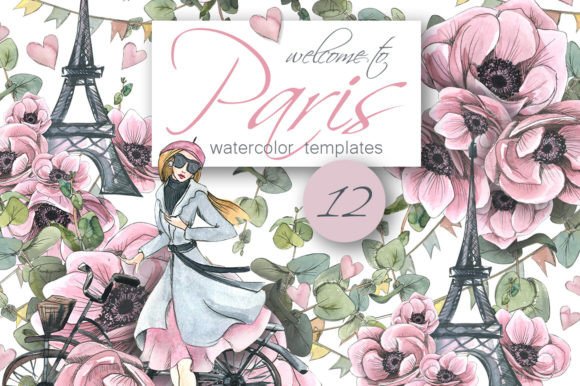
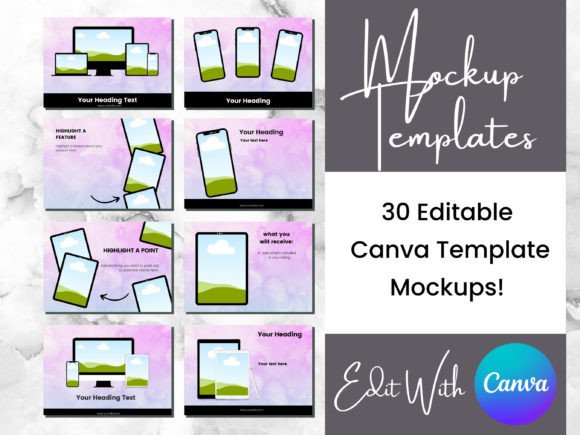
The visual personality of this collection is defined by its texture. You’ll notice subtle washes of color that range from barely-there blush to vibrant rose, often with visible paper grain and soft, blurred edges. This creates a sense of depth and dimension, making flat designs—like a logo, a social media graphic, or a book cover—appear as though they are physical objects resting on a beautifully painted surface. The style is inherently whimsical and artistic, steering clear of corporate rigidity. It’s a modern take on a classic medium, perfect for projects that need to feel both sophisticated and approachable.
This aesthetic has a unique ability to influence brand perception. A brand that uses these kinds of creative font and mockup combinations is often seen as more authentic, craft-oriented, and detail-focused. It suggests a human is behind the work, not just an algorithm. For a small business owner selling handmade goods, a blogger curating a personal brand, or a photographer showcasing a soft, romantic portfolio, this style aligns perfectly with a narrative of care and artistry. It’s a powerful component of a cohesive brand identity.
Where This Style Truly Shines: Practical Applications
The versatility of the 15 Pink Watercolor Canva Mockup Templates is one of their greatest strengths. They function beautifully across a wide range of projects, each time adding that signature layer of grace. Think of them as a design chameleon, adapting to the context while always maintaining their core charm.
For packaging design, imagine presenting a new line of artisanal soaps or skincare. Placing your label design within one of these watercolor frames immediately communicates the product's natural, gentle ingredients. In editorial design, a magazine spread or a blog post header using these templates can break the monotony of standard layouts, inviting the reader into a more visually rich experience. For social media graphics, they are invaluable. A quote card, a product announcement, or a portfolio highlight gains instant visual interest, helping it stand out in a crowded feed. The soft pink tones are particularly effective for lifestyle, beauty, wellness, and wedding-related content.
Beyond the commercial sphere, these templates are fantastic for personal projects. Creating a digital mood board, designing a unique invitation, or even crafting a standout resume becomes an exercise in creativity. The key is to match the template’s personality to your project’s goals. It’s not just about making something look pretty; it’s about using visual style to communicate a specific message and feeling.
Working with the Templates: A Practical Walkthrough
The beauty of these Canva-based templates lies in their user-friendly design. You don’t need to be a technical wizard to achieve professional results. The process is intuitive, centered on customization to fit your specific brand identity.
Here’s a practical approach to getting the most out of them:
- Start with Your Core Design: Before you even open the template, have your primary design asset ready. This could be your logo, a product photo, a web design mockup, or a piece of artwork. The template is the frame; your work is the masterpiece.
- Customize for Cohesion: Once your design is placed via the simple drag-and-drop interface, look at the supporting elements. Most templates will allow you to change the color of text overlays or graphic accents. Adjust these to match your brand’s color palette. If your brand uses a sans serif font for clarity, use that for any text you add, ensuring it remains legible against the watercolor background.
- Evaluate Readability and Hierarchy: This is critical. The textured background, while beautiful, can sometimes compete with text. Use this as an opportunity to practice strong visual hierarchy. Make your main message large and bold. Ensure there is sufficient contrast between your text and the background. Sometimes, adding a subtle, semi-transparent shape behind your text can improve readability without sacrificing style.
- Consider Font Pairings: If you are adding text, think about pairing. A elegant script font for a headline might pair well with a clean, modern typography sans serif font for body text. The watercolor style often pairs beautifully with both serif font styles (for a classic, romantic feel) and clean display font choices (for a more contemporary look).
When choosing which of the 15 templates to use, consider the composition. Some may have more negative space, ideal for showcasing a single product. Others might have more intricate watercolor elements, perfect for a dynamic logo design presentation. Always test your design within a few different options to see which framing tells your story best. This collection of premium font mockups is a toolkit; the best result comes from thoughtful selection and customization.
Elevating Your Creative Projects
Ultimately, tools like the 15 Pink Watercolor Canva Mockup Templates are about expanding your creative vocabulary. They offer a shortcut to a sophisticated aesthetic that might otherwise require advanced software skills or sourcing physical materials. They help bridge the gap between a digital file and a tangible, feelable product.
For the entrepreneur, they are a way to present products with a level of professionalism that builds trust. For the artist or designer, they are a canvas for showcasing work in context, helping clients visualize the end result. For the content creator, they are a secret weapon for generating consistently beautiful and engaging social media graphics. By incorporating these assets into your workflow, you’re not just decorating; you’re strategically enhancing audience engagement, reinforcing your brand’s professionalism, and creating a more memorable recognition. They are a practical investment in the visual story you tell the world.